Tools and projects
1 / 9Tools and projects
A script is one file. A project is a folder with its own tools around the code.
Think of a workshop: every project gets its own bench and toolbox, and a few good tools keep the work clean and checked.
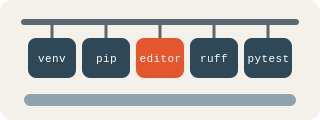
In this topic
Virtual environments
A private toolbox per project. Packages installed for one project never disturb another.
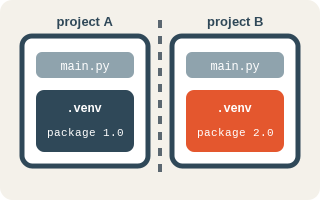
Project A needs an old version of a package, project B a new one. With one shared toolbox, one of them breaks.
python -m venv .venv makes a .venv folder inside your project. venv comes with Python.
- Windows:
.venv\Scripts\activate - macOS and Linux:
source .venv/bin/activate
The prompt then starts with (.venv).
Add .venv/ to .gitignore. Anyone can rebuild the environment from the list of packages.
Packages
Ready-made parts delivered from PyPI into your project's toolbox, plus a written list so anyone can order the same set.
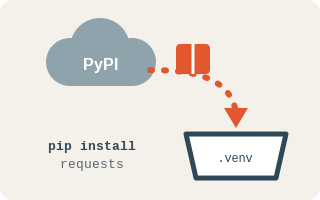
pip install requests fetches a package into the active environment.
The classic shopping list, one package per line.
pip freeze > requirements.txtwrites itpip install -r requirements.txtinstalls from it
The modern single file for a project: its name, its Python version, its packages, and the settings of its tools.
A newer, very fast tool that does the job of venv and pip together.
uv initstarts a projectuv add requestsadds a packageuv run main.pyruns your code in the project's environment
Project layout
A tidy bench: everything has its usual place, so anyone who opens the folder knows where to look.
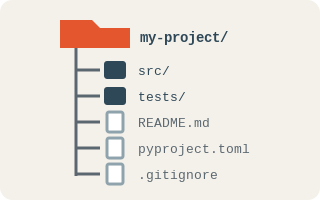
Code, tests, settings and the environment all live inside it.
Your own code, split into modules.
The checks for that code, kept apart from it.
What the project does and how to run it. The first file a visitor reads.
git init in the project folder. A .gitignore keeps .venv/ and __pycache__/ out of the history.
Editor
Your workbench: where you write, run and inspect the code, with the tools within reach.
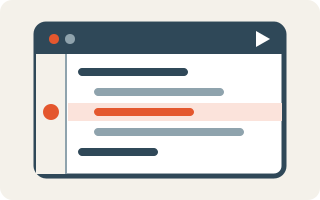
The two most used. VS Code needs the Python extension; PyCharm is built for Python from the start.
Point the editor at the Python inside .venv, so it sees the same packages as your program.
Suggests names as you type and shows what a function expects.
Set a breakpoint, and the program pauses on that line. Look at every variable, then step on line by line.
Code quality
A spell checker and a ruler for code: one tool tidies the layout, another points at likely mistakes before you run anything.
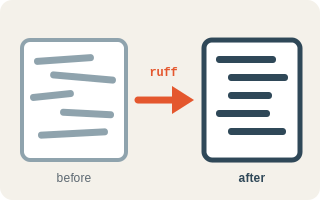
Python's shared style guide. Code that follows it looks familiar to every Python programmer.
ruff format . rewrites spacing, quotes and line breaks into one consistent style. No more arguing about layout.
ruff check . reports unused imports, misspelled names and other likely bugs.
Reads type hints such as def add(a: int, b: int) -> int: and warns when a call does not fit. mypy is the classic one.
Testing
A checklist that checks itself. Small functions call your code and compare the result with what you expect.
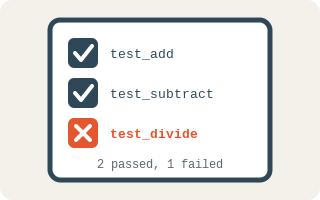
The most used test tool. Install it with pip install pytest.
def test_add():
    assert add(2, 3) == 5
It lives in a file named test_*.py, and its name starts with test_.
pytest finds every test, runs it, and prints a summary: passed or failed.
Run the tests after every change. If something you broke was tested, you know within seconds.
Try it
Reading is not doing. Three small tasks, all on the expense tracker you built in the project map.
In the project folder, create .venv and activate it. Install pytest and ruff with pip. Add .venv/ to .gitignore.
In test_expenses.py, make two food expenses of 2 and 3 and assert that totals gives {"food": 5}. Run pytest. Then break totals on purpose and watch the test fail.
Run ruff format . and then ruff check .. Use git diff to see exactly what the formatter changed.