Branching and merging
1 / 8Branching and merging
A branch lets you try something on a side track without touching the main line. A merge brings the side track back.
In this topic
What is a branch?
A movable label stuck on a commit. The label moves forward each time you commit.
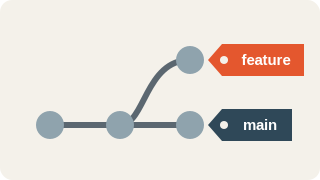
Build a feature or fix a bug without disturbing anyone else's work.
A branch is only a name pointing at one commit, so creating one is instant and costs almost nothing.
The default branch of a new repository. Older repositories often call it master.
HEAD
The "you are here" pin. It marks the branch you are working on right now.
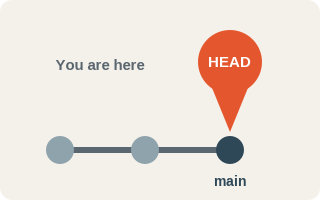
New commits go onto the branch that HEAD points to.
Switching branches moves the pin and updates your files to match that branch.
The pin sits on a commit instead of a branch. Fine for looking around; create a branch before you commit there.
Working with branches
Four commands cover daily use: list, create, switch, delete.
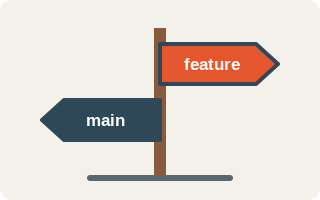
git branch lists your branches and marks the current one with *.
git switch -c feature creates the branch feature and moves you onto it.
git switch main moves you to an existing branch.
Older tutorials use git checkout main for the same thing.
git branch -d feature removes the label once it is merged. The commits stay in the history.
Merging
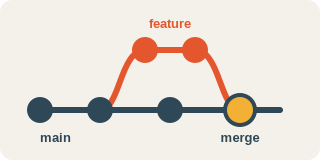
Two tracks join into one. Switch to the branch that should receive the work, then merge the other one into it.
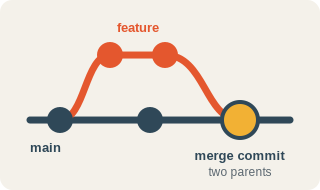
git switch main, then git merge feature brings the work from feature into main.
If main has not changed since the branch started, Git simply slides the main label forward. No new commit is made.
If both branches have new commits, Git makes a commit with two parents that ties them together.
Merge conflicts
Both branches changed the same lines, so Git cannot choose and asks you to.
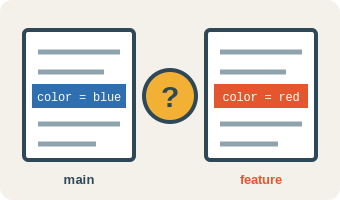
Git writes both versions into the file:
<<<<<<<starts your version=======separates the two>>>>>>>ends the incoming version
Edit the file to the result you want, remove the markers, then git add the file and git commit.
git merge --abort cancels the merge and puts everything back as it was.
A typical workflow
One small branch per task: branch, commit, merge, delete.
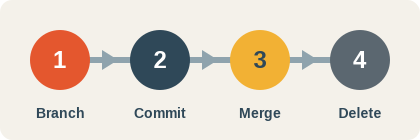
git switch -c fix-typo
Edit, git add, git commit, as often as you like.
git switch main, then git merge fix-typo
git branch -d fix-typo