Git basics
1 / 8Git basics
Git records the history of a project as a chain of commits, so you can always see what changed and go back.
Three ideas carry everything else: the repository, the staging area and the commit.
In this topic
What is Git?
A time machine for your project. Every commit is a save point you can return to.

Keeps every saved version of your files, with who changed what, when and why.
No more report_final_v2_really_final. Git stores a snapshot of the whole project at each commit.
Git is not GitHub. The full history lives on your machine; no server or account is needed.
First-time setup
Tell Git who you are, once per computer. Your name and email are written on every commit, like a name badge.
git config --global user.name "Ada Lovelace"
git config --global user.email "ada@example.com"
Repository
Your project folder plus a hidden vault that holds its whole history.
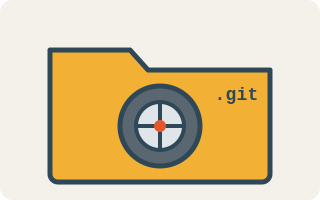
git init turns the current folder into a repository.
The vault itself. All commits live in .git. Delete it and the history is gone; your files stay.
git clone <url> copies an existing repository, with its full history, to your computer.
The three areas
Think of packing parcels: things lie on your desk, you put some in an open box, then seal the box and shelve it.
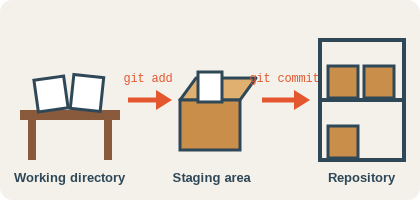
The desk: the files you see and edit.
The open box: changes you have chosen for the next commit. Also called the index.
The shelf: sealed boxes, one per commit, kept in .git.
Moves changes from the desk into the box.
git add notes.txtstages one filegit add .stages everything in the current folder
git status shows what is where: untracked, modified or staged. Run it often.
Commit
A sealed, labelled box: a permanent snapshot of everything you staged.
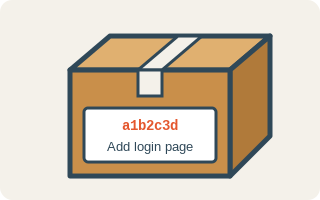
git commit -m "Add login page" seals the box with a label.
The label. Say what changed and why, in one short line.
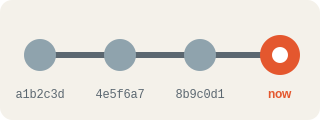
The box's serial number, such as a1b2c3d. Git computes it from the contents, so every commit has a unique one.
Each commit remembers the one before it. That chain of commits is the history.
The daily loop
Three steps, repeated all day: edit, stage, commit.
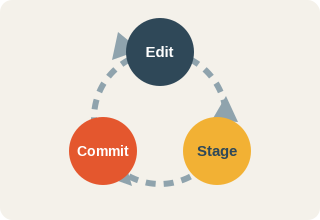
Change files in the working directory.
git add the changes that belong together.
git commit -m "...", then start the next change.